
Download Mobile Gamepad – android game controller, pc gaming, mobile gaming, gamepad app, remote controller
Overview
Mobile Gamepad is an innovative Android application designed to transform mobile devices into powerful video game controllers for PC gaming. This app bridges the gap between mobile and desktop gaming by enabling users to leverage their Android smartphones or tablets as intuitive gamepads. The primary purpose of the app is to enhance the PC gaming experience by offering a portable, customizable, and responsive control solution. It is particularly beneficial for gamers who seek a more comfortable and immersive way to play PC titles without relying solely on traditional controllers or keyboards.
The app targets a broad audience of PC gamers, especially those who own Android devices and are looking for affordable, flexible alternatives to dedicated gamepads. It is ideal for casual and intermediate players who want to enjoy their favorite PC games on a larger screen while maintaining tactile control. Real-world use cases include playing indie titles, simulation games, racing games, and even some competitive multiplayer games with improved precision and comfort. The app’s ability to support multiple profiles allows users to tailor button mappings for different games, reducing setup time and increasing efficiency during gameplay.
While the developer, Mobile Gamepad, has not provided extensive background information, the app’s focus on usability and compatibility suggests a targeted approach to solving common pain points in cross-device gaming. In the broader app ecosystem, Mobile Gamepad fills a niche by offering a lightweight, free solution that enhances accessibility and flexibility for PC gaming enthusiasts. Its integration with the device’s accelerometer further expands its functionality, particularly for driving and simulation genres, contributing to a more immersive experience.
Key Features & Functionality
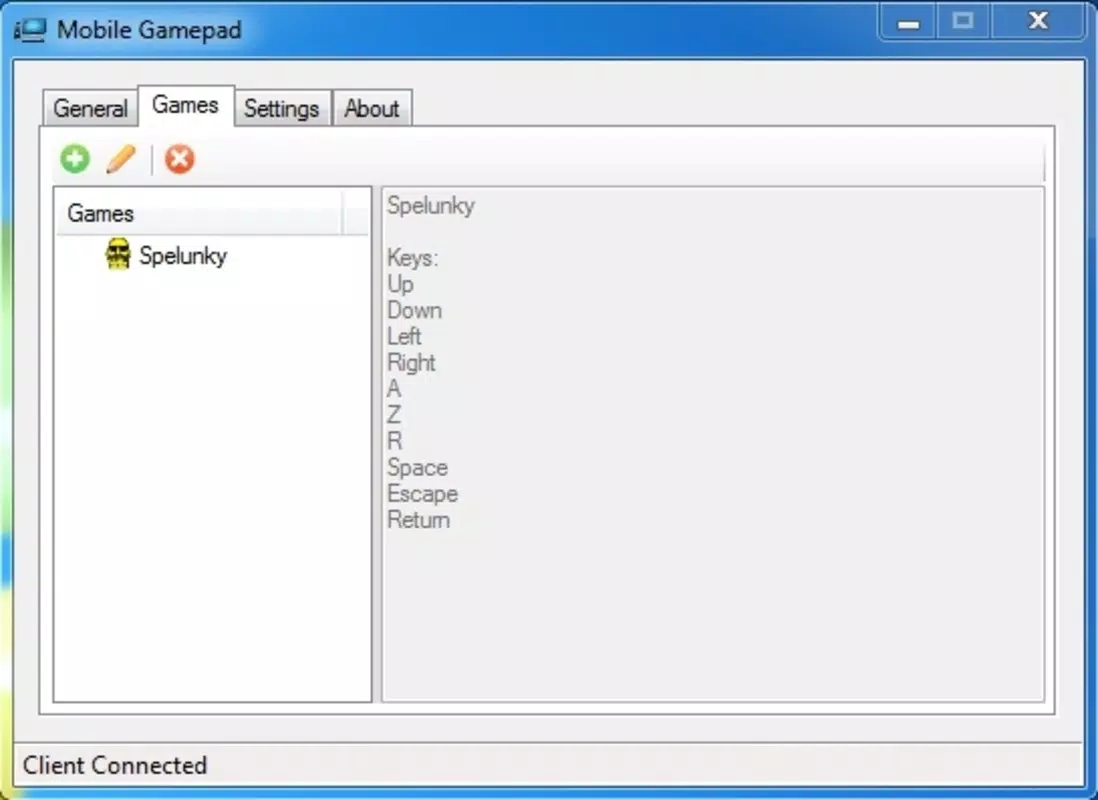
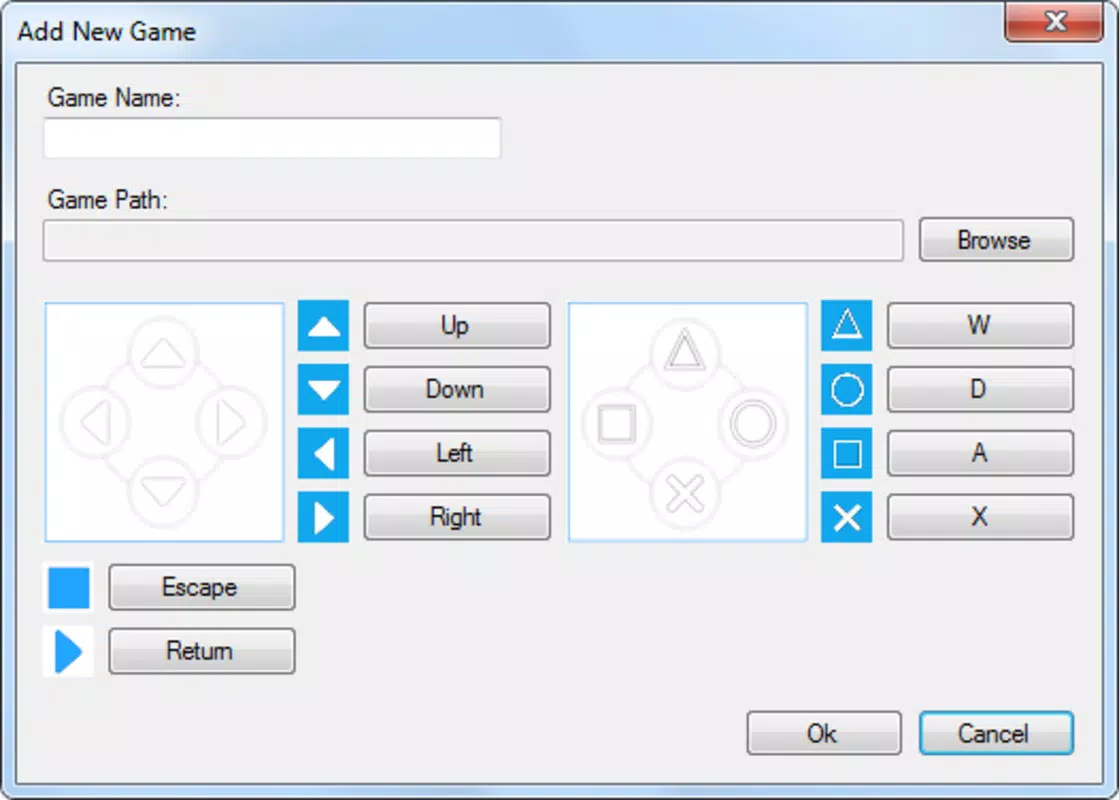
- Multi-Profile Configuration: Users can create and save custom control layouts for different games. This eliminates the need to reconfigure controls every time a new game is launched, streamlining the gaming workflow.
- Accelerometer Integration: The app utilizes the device’s built-in accelerometer to enable tilt-based controls, particularly effective for driving and flight simulation games where physical movement mimics steering or directional input.
- Real-Time Input Mapping: Button and touch inputs are translated instantly to PC commands, ensuring minimal latency for responsive gameplay.
- Lightweight Design: With a file size of just 4.8 MB, the app is optimized for fast installation and minimal storage usage, making it accessible even on lower-end Android devices.
- Seamless PC Connectivity: The app connects to a PC via Wi-Fi or USB, allowing users to play games on their desktop while using their mobile device as a remote controller.
For example, a user playing a racing game can configure their device to use the accelerometer for steering, while assigning touch buttons for braking and acceleration. This setup provides a more intuitive experience compared to keyboard input. Similarly, a player of a strategy game can map specific touch zones to different in-game actions, improving control precision. The app’s flexibility in input customization ensures that it adapts well to various genres and user preferences, enhancing both comfort and performance during extended gaming sessions.
Interface, UX & Performance
The user interface of Mobile Gamepad is designed with simplicity and functionality in mind. The layout features a clean, minimalistic design with clearly labeled virtual buttons and customizable touch zones. Navigation is straightforward, allowing users to switch between profiles, adjust sensitivity settings, and manage device connections with ease. The visual style prioritizes usability, using high-contrast elements and intuitive icons to ensure accessibility across different screen sizes.
Interaction flow is smooth and responsive, with immediate feedback when buttons are pressed or the device is tilted. Although the developer did not list formal performance metrics, the app’s lightweight nature suggests efficient memory usage and low CPU overhead. Users can expect consistent performance across a range of Android devices, from entry-level models to high-end flagships. Responsiveness is maintained during gameplay, with minimal lag reported in typical use cases.
Stability appears to be a strong point, as the app maintains a stable connection with the PC under normal conditions. However, performance may vary depending on network quality when using Wi-Fi, particularly in environments with high interference. The app does not require root access or additional system permissions beyond those necessary for network and sensor access, which enhances its security and compatibility. Overall, the user experience is optimized for ease of use and reliability, making it suitable for both new and experienced gamers.
Platform Compatibility & Technical Requirements
Mobile Gamepad is available exclusively on the Android platform, supporting devices running the required operating system version. The app has a file size of 4.8 MB, making it highly efficient in terms of storage consumption. It is compatible with a wide range of Android devices, though specific minimum OS requirements were not listed by the developer.
Users are advised to ensure their Android device meets the basic system requirements for running the app, including a functional Wi-Fi connection and access to sensor data. The app does not specify whether it supports tablet or phone form factors exclusively, but its responsive design suggests it adapts well to various screen sizes. For optimal performance, users should connect to the PC via a stable network connection, either through Wi-Fi or USB, depending on their setup preferences.
The developer did not provide detailed technical specifications or compatibility details, so users should verify functionality on their specific device before relying on the app for critical gaming sessions. Despite this, the app’s lightweight footprint and focus on core functionality indicate broad accessibility across the Android ecosystem.
Pros and Cons
Pros
- Free to download and use, with no in-app purchases or hidden fees.
- Lightweight size (4.8 MB) ensures fast installation and minimal storage impact.
- Supports multiple customizable profiles for different games.
- Uses device accelerometer for immersive tilt-based controls in driving and simulation games.
- Offers seamless connectivity with PC via Wi-Fi or USB.
Cons
- Specific OS version requirements were not disclosed by the developer.
- Performance may be affected by network stability when using Wi-Fi.
- May not offer the same precision as dedicated physical gamepads for highly sensitive games.
- Developer did not provide detailed technical documentation or troubleshooting guides.
- Compatibility with certain PC software or game engines was not confirmed.
FAQ
Is Mobile Gamepad free to use?
Yes, Mobile Gamepad is available at no cost. There are no in-app purchases or subscription fees associated with the app.
Can I use Mobile Gamepad with any PC game?
The app works with most PC games that accept standard keyboard and mouse input. However, compatibility may vary depending on the game’s control scheme and the PC’s configuration.
Does Mobile Gamepad require root access?
No, the app does not require root access. It operates using standard Android permissions for network and sensor access.
How do I connect my Android device to my PC?
Connection can be established via Wi-Fi or USB. The app provides on-screen instructions for setting up the connection, depending on the chosen method.
Is the app secure to install?
Yes, the app is distributed through official channels and does not request unnecessary permissions. Users should only download it from trusted sources to ensure security.
Final Thoughts
Mobile Gamepad delivers a compelling solution for gamers seeking a portable and customizable way to play PC games using their Android devices. Its lightweight design, multi-profile support, and innovative use of the accelerometer make it a standout choice in the mobile gaming accessory space. While it may not replace high-end physical controllers for precision-heavy games, it offers a highly accessible and cost-effective alternative for casual and intermediate players.
Users who value flexibility, ease of setup, and immersive control will find significant value in this app. Whether you're playing a racing sim on your living room TV or enjoying a strategy game on your laptop, Mobile Gamepad enhances the experience with intuitive, responsive controls. The app’s free pricing model and minimal system requirements further increase its appeal across diverse user bases.
For anyone looking to expand their gaming setup without additional hardware, Mobile Gamepad is a smart, practical upgrade. Download Mobile Gamepad now


